At AET Automotive, we’re always improving our tools to help dealers move faster, eliminate bottlenecks, and stay in control of their marketing.
This blog is where you’ll find the latest updates — new features, enhancements, and a look at what’s coming next across the AET Marketing Suite. Think of it as your monthly “what’s new” briefing: practical, dealer-focused, and built around speed to market.
Date: August 10, 2026
Update Lane: Folders & Subfolders Now Available in Creative Studio Pro
We’re thrilled to release one of the most requested features in Creative Studio Pro: full support for folders and subfolders.
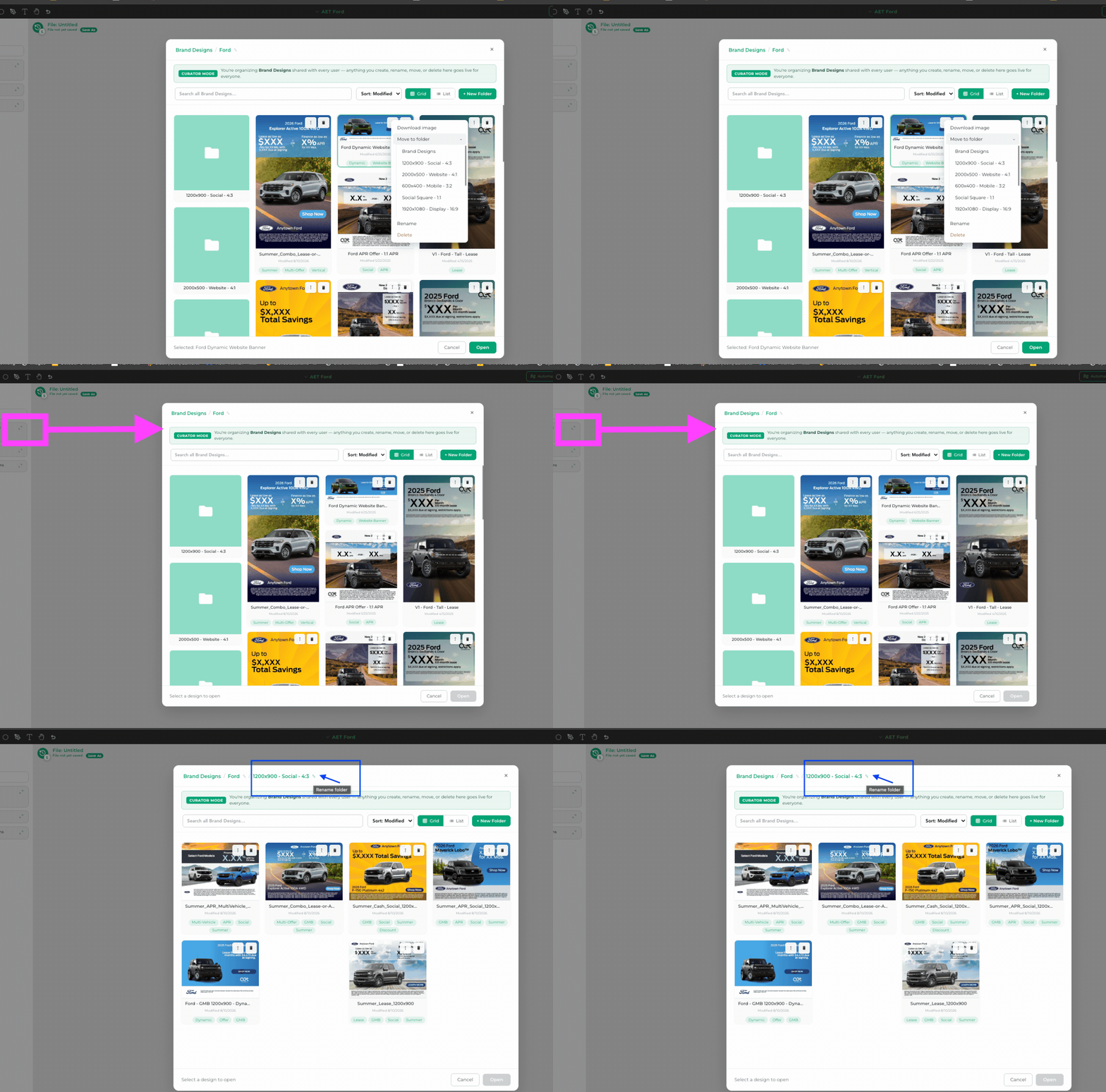
You can now organize your designs with a clean folder structure — making it dramatically easier to manage large libraries of creative assets.
What’s New
-
Create new folders and nested subfolders
-
Move designs into any folder by clicking the 3 dots next to a design → Move to folder
-
Rename folders and individual files
-
Delete folders
-
Search across all designs, sort by modified date, and toggle between Grid and List views
Best Practices for Organizing Your Designs
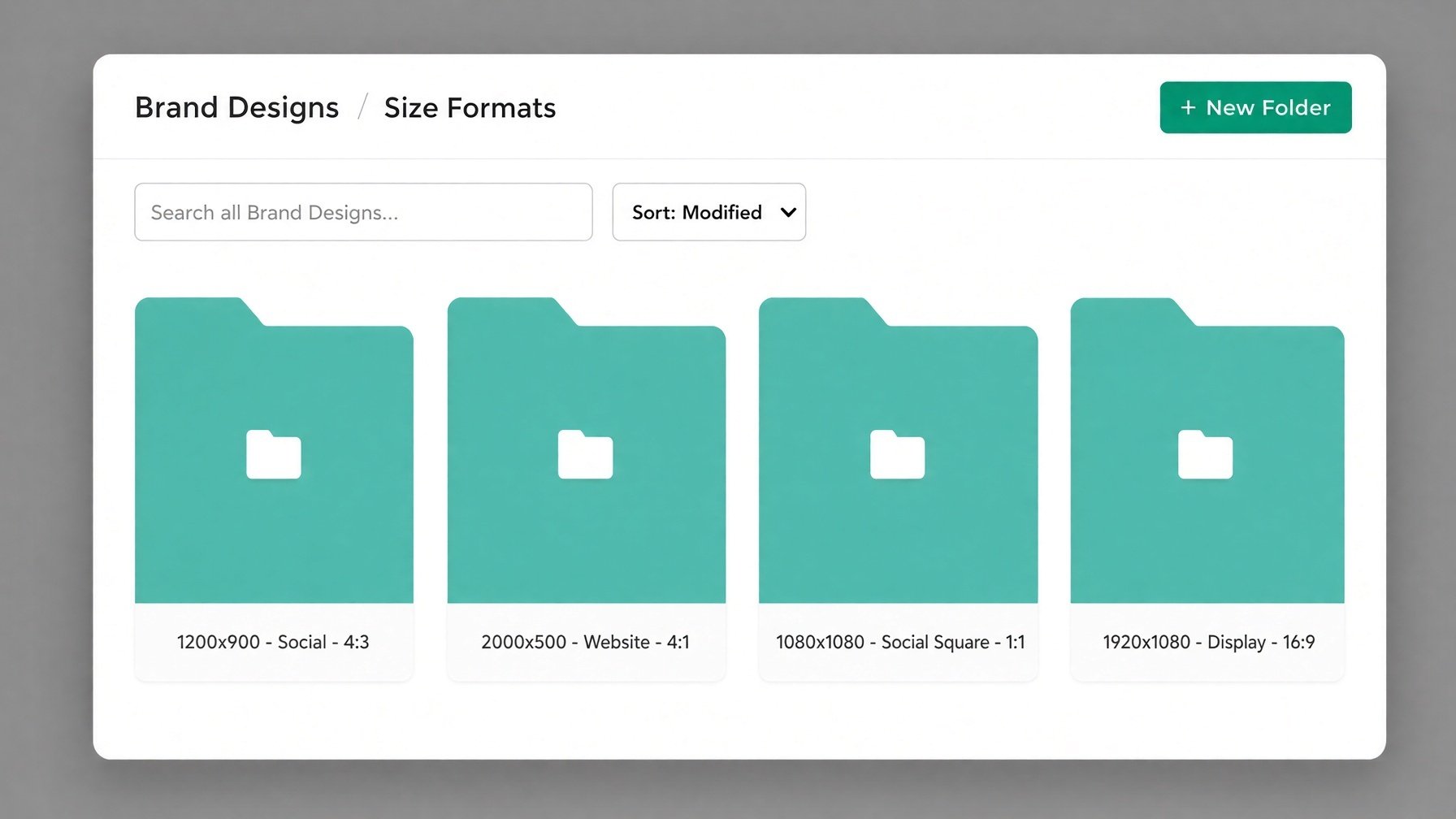
Organize by Size / Format:
-
-
1200×900 – Social – 4:3
-
2000×500 – Website – 4:1
-
1080×1080 – Social Square – 1:1
-
1920×1080 – Display – 16:9
-
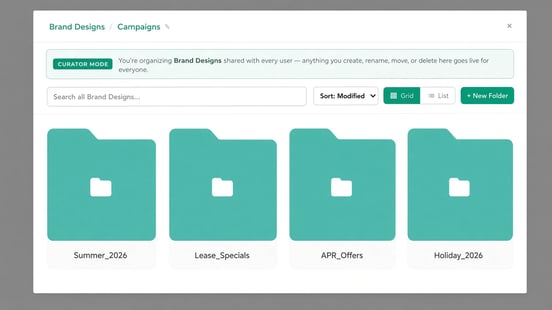
Organize by Campaign or Season
-
-
Summer_2026
-
Lease_Specials
-
APR_Offers
-
Holiday_2026
-
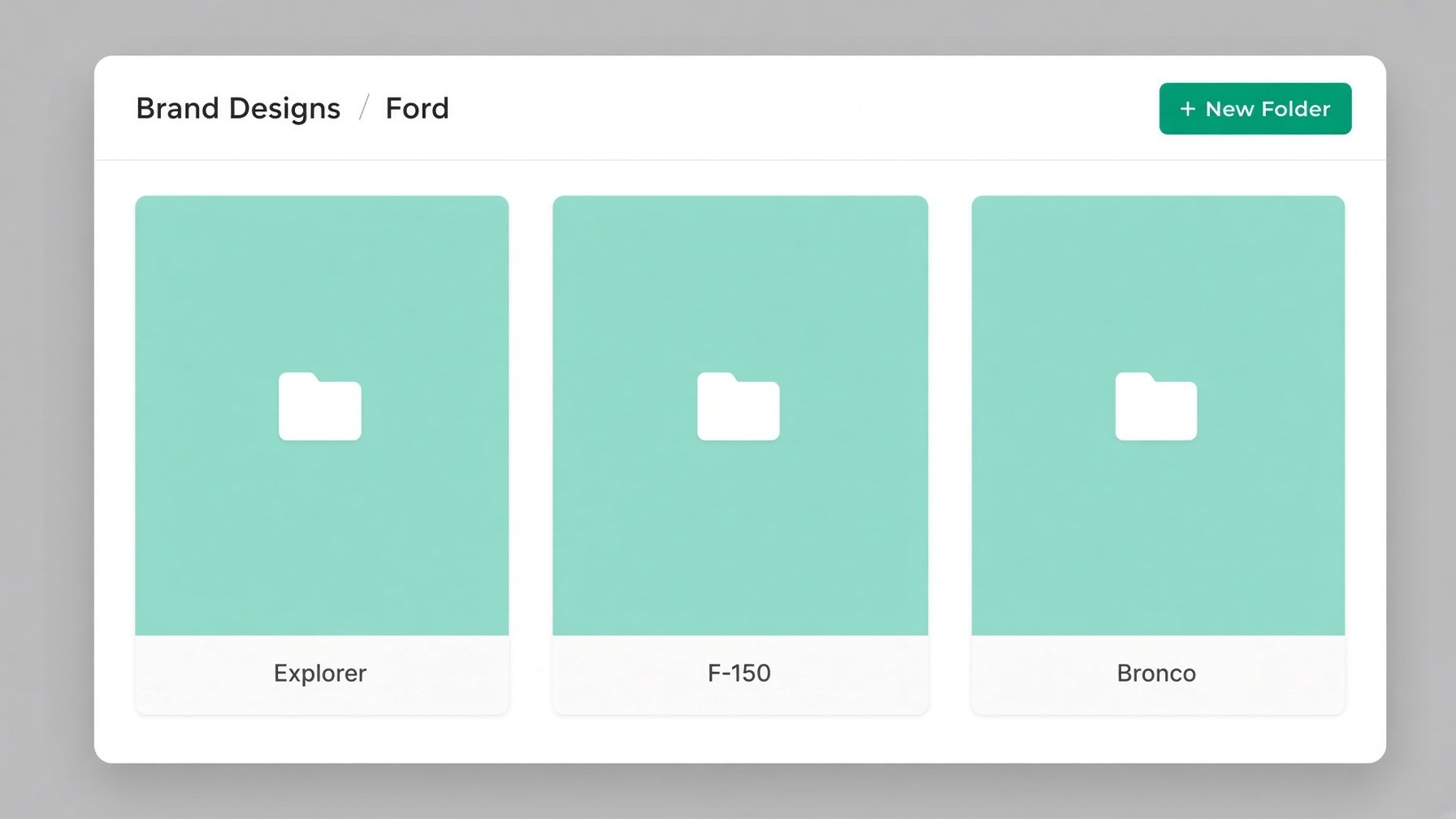
Organize by Vehicle / Brand
-
-
Ford → Explorer / F-150 / Bronco
-
Or create a top-level folder for each brand
-
Use Clear, Consistent Naming
-
Include size, purpose, and date when helpful (e.g. “Summer_APR_Social_1200x900”).
-
Keep It Nested but Not Too Deep
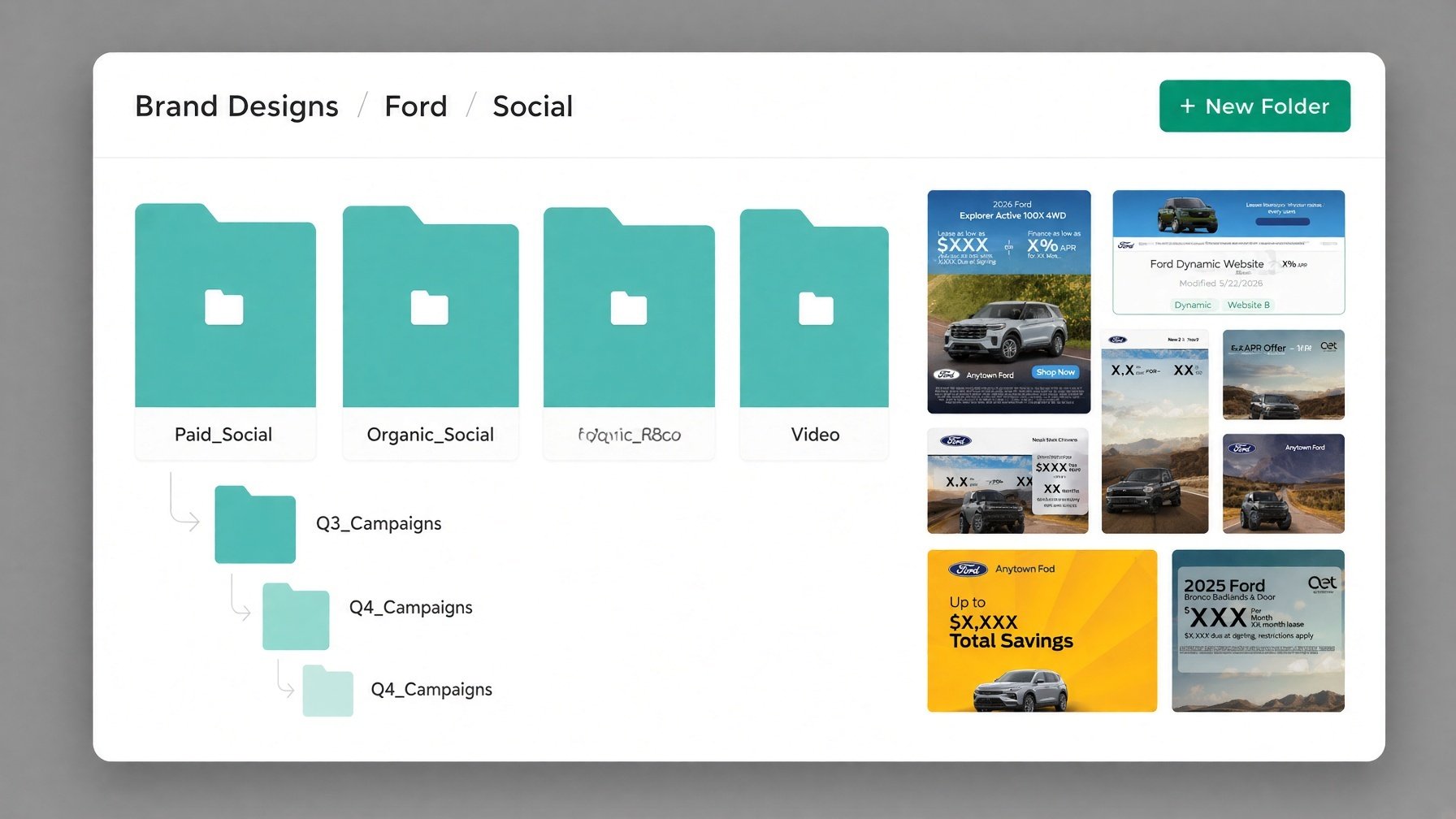 2–3 levels of folders usually work best for quick navigation.
Try It Today
Date: July, 14 2026
Update Lane: Resize Components & Groups in Creative Studio Pro
We’ve added a powerful new design control in Creative Studio Pro: the ability to resize individual components and groups of assets.
What’s New
You can now easily resize:
-
-
Individual components
-
Multiple selected assets at once (groups)
-
This gives you faster, more precise control over your layouts without having to rebuild or re-scale elements manually.
Why It Matters
Whether you’re adjusting a single logo, scaling a group of vehicle images, or refining an entire layout, the new resize tools help you work quicker and keep everything perfectly proportioned.
Try It Today
Open any design in Creative Studio Pro, select a component or group of assets, and start resizing. The tools are live and ready to use.
As always, these updates come from your feedback. If you have questions or ideas for future improvements, just reply or reach out to your account manager.
AET Automotive – Adapt. Evolve. Transcend. 🚗
Date: June 6, 2026
Update Lane: Daily Budgets for Evergreen Campaigns Now Available
We’re excited to introduce one of our most requested features — Daily Budgets & Evergreen Campaigns in both Ad Studio and Inventory Studio.
What’s New
You can now run campaigns without a fixed end date. Instead of setting a monthly budget and expiration, you can set a daily budget and let your campaigns run continuously — also known as Evergreen Campaigns.
This gives you more flexibility and consistency in your advertising strategy.
Why This Matters for Dealerships
Traditional monthly campaigns require constant rebuilding and resetting. With evergreen campaigns, you can:
-
-
Maintain steady, always-on advertising without monthly interruptions
-
Let Meta’s algorithm optimize performance over longer periods (usually leading to better results)
-
Save significant time for your marketing team
-
Keep consistent messaging in front of your audience
-
Great Use Cases for Evergreen Campaigns
-
-
Service & Parts Promotions — Oil changes, tire specials, brake service, accessories, etc.
-
Pre-Owned Vehicle Inventory — Keep high-priority used vehicles in front of buyers consistently
-
Finance & Lease Offers — Long-running low APR or lease specials
-
Brand Awareness — “Why Choose Us”, customer testimonials, or community-focused campaigns
-
Retargeting — Always-on campaigns for website visitors and past engagers
-
High-Volume New Vehicles — Popular models you want to promote year-round
-
How to Get Started
-
Go to Ad Studio or Inventory Studio
-
When setting up your campaign, choose Daily Budget
-
Remove the end date (or leave it blank for true evergreen)
-
Launch and let it run continuously
You can still pause or adjust the campaign anytime.
Try It Today
Head into Ad Studio or Inventory Studio and create your first evergreen campaign. Many dealerships are already seeing more consistent lead flow with less manual work.
As always, this update was built based on feedback from our dealer partners. If you have questions, want help setting up your first evergreen campaign, or have ideas for future features, just reply to this post or reach out to your account manager.
Stay tuned — more powerful updates are coming down the Update Lane!
AET Automotive – Adapt. Evolve. Transcend. 🚗
Date: May 20, 2026
Double Confirmation for Shared Email Templates
You’ll now see a second confirmation step when trying to delete a shared email template.
.png?width=506&height=287&name=image%20(13).png)
This extra guard rail helps protect templates that your team members may be using and reduces the risk of accidentally removing something important.
It’s a small but important improvement that adds more peace of mind when managing your email templates.
Try It Today Head into Email Studio — the new double confirmation will appear automatically when deleting shared templates.
As always, these updates are driven by your feedback. If you have any questions or suggestions, feel free to reply or reach out to your account manager.
AET Automotive – Adapt. Evolve. Transcend. 🚗
Date: May 12, 2026
We’re excited to announce two new improvements in Ad Studio and Automation Hub that will help your team create better ads faster and stay more organized.
1. Major Upgrade to the AI Ad Copywriter in Ad Studio Our AI Ad Copywriter just got significantly smarter and more powerful.
What’s new:
-
Higher quality, more persuasive automotive copy
-
Faster generation — great copy in seconds
-
New tone options to match your brand voice
Whether you’re building a new campaign or refreshing existing creative, the AI now delivers stronger, more relevant copy with far less editing required.
2. Improved Naming in Automation Hub.gif?width=695&height=364&name=RV%20Dealerships%20Inventory%20(3).gif)
We’ve improved file naming in the Automation Hub. Your creative files are now automatically named using the format: "File Name" + Year Make Model Trim + Variant #
This makes it much faster to find and organize your ads. You can still rename files manually anytime.
What this means for you:
-
You can now instantly see the Make, Model, and Trim right in the file name
-
Much quicker and easier to find the exact creative or campaign you need
-
Better organization for your entire team
-
Faster to locate files when you want to make quick edits or updates
This small but powerful change makes daily workflows smoother — especially when working across multiple vehicles or when multiple team members are collaborating.
Try It Today
-
Open Ad Studio and test the upgraded AI Ad Copywriter on your next campaign.
-
Head into the Automation Hub and notice how much easier it is to find and manage your files.
Both updates are live right now.
These improvements were built directly from your feedback, and we’re already working on the next round of enhancements. If you have questions, want a quick demo, or have ideas for future updates, just reply to this post or reach out to your account manager.
Stay tuned — more updates are coming down the Update Lane!
AET Automotive – Adapt. Evolve. Transcend. 🚗
Date: May 6, 2026
We’re excited to roll out two helpful new features this week that make creating and launching ads even smoother and more effective.
1. Faster, Smaller Downloads in Creative Studio Pro
You can now download images in Compressed format — and it’s the new default.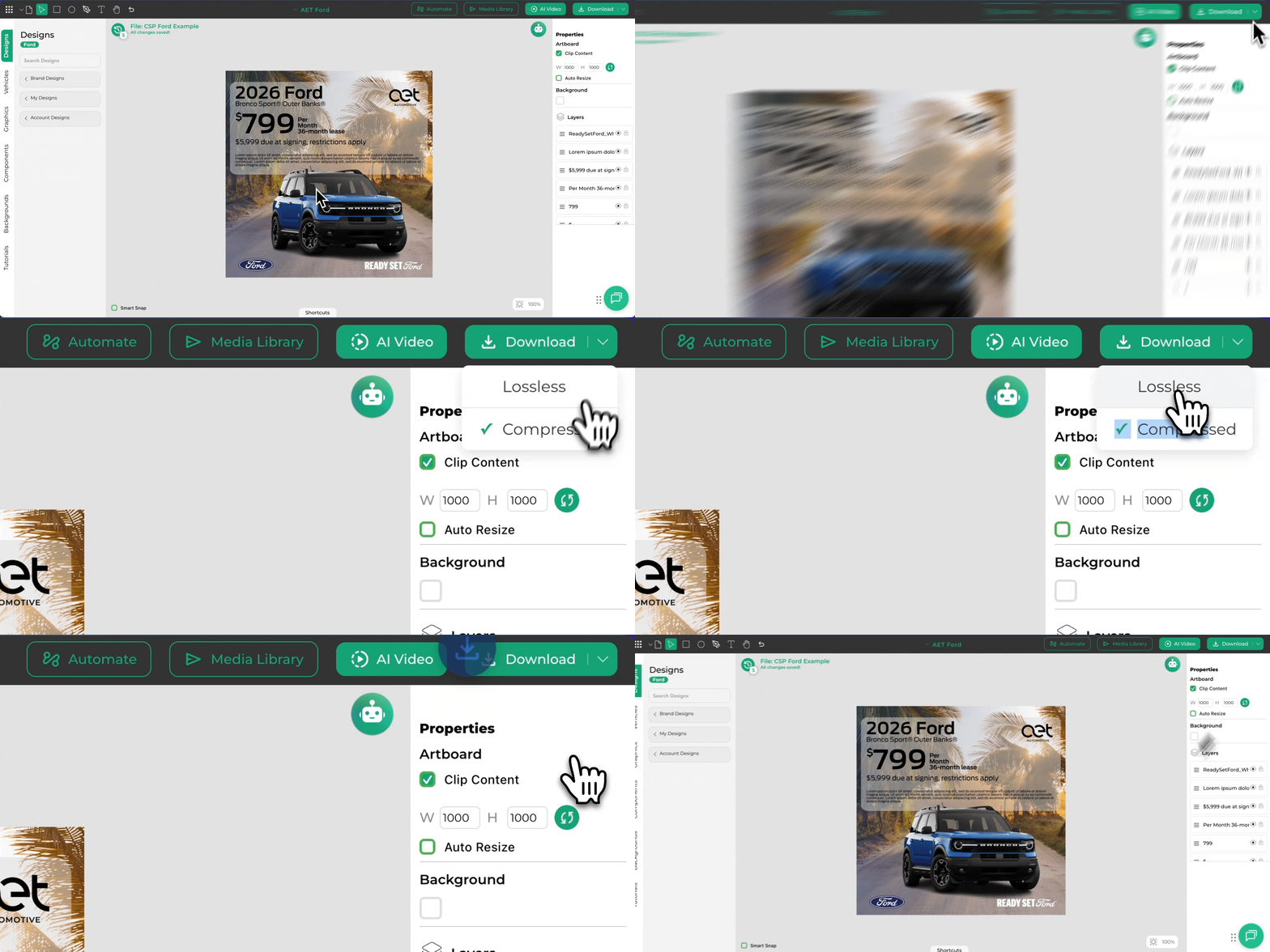 What this means for you:
-
Files are 4 to 4.4 times smaller than the Lossless version
-
No visible degradation in Image quality — looks identical to the naked eye
-
Much easier and faster to upload to websites with strict file-size limits (like DealerInspire)
-
Design thumbnails in the left rail now load quicker
-
When you send an image to your Media Library with Compressed selected, it sends the smaller, optimized version
If you ever need the highest-resolution version, you can still switch to Lossless with one click.
2. Custom Audiences Are Now Available in Inventory Studio
We’ve added full audience control so you can reach exactly the right people on Meta.
Here’s what’s new in the Audience Targeting section:
-
Native Audiences Search Facebook’s built-in interest library directly inside Inventory Studio. Examples include:
-
SUV, Trucks, Car Finance, Lease, Sedans, Electric Vehicle, Hybrid, and many more.
-
-
Include Audiences Add any custom audiences you’ve already built in Meta (pixel-based, customer lists, website visitors, etc.).
-
Exclude Audiences Easily remove specific groups — for example, customers who purchased in the last 1–3 years so you’re not wasting budget on recent buyers.
Pro Tip: If you want fresh, daily-updated custom audiences from your DMS (Customers who haven't purchased in 3+ years; truck owners with a vehicle 5+ year old, customers who have purchased in last 12 months, etc.), check out our data product PinPoint — it automatically builds and refreshes these audiences for you every single day.
These new controls give you the perfect balance: Meta’s powerful Advantage+ optimization plus the ability to layer in your own precise targeting when you want it.
Try It Today
Head to Creative Studio Pro and test the new Compressed download option.
Open Inventory Studio and explore the expanded Audience Targeting section — the new fields are ready to use right now.
Both updates are live as of today.
As always, these improvements come directly from your feedback. If you have questions, want a quick walkthrough, or have ideas for the next update, just reply to this email or reach out to your account manager.
Date: May 5, 2026
New in Creative Studio Pro: Automatic AI FTC Compliance Scanning
We just released something I’m really excited about.
In addition to our existing OEM brand compliance tools, Creative Studio Pro now has Automatic AI FTC Compliance Scanning — built specifically for the automotive industry.
It automatically scans your creative for potential FTC issues before you download your creative. No more crossing your fingers and hoping everything is compliant.
Why this matters right now
Marketing teams are under more pressure than ever. You’re being asked to produce more creative, across more channels, on tighter timelines — all while the FTC continues to increase enforcement.
One wrong claim or missing disclaimer can create real headaches. We wanted to give you an extra layer of protection and peace of mind so you can move fast without the stress.
How it works
As you are creating or editing an ad, if you have a question on compliance your can easily run an intelligent scan to give you clear feedback on any potential issues. You stay in full control — you decide what to fix and when.
It works alongside our OEM compliance tools, so you get both brand compliance and FTC compliance checked in one place.
It’s already live
If you have Creative Studio Pro, this feature is available right now. Just keep creating as usual and when you have a compliance question, click the "robot icon" in the top right section of your header menu.
We built this because we know how important control and compliance are to your team, especially during busy periods like Memorial Day and summer selling season.
If you have any questions about the new Automatic AI FTC Compliance Scan, or you want to see it in action, please email team@aetautomotive.com
Date: May 1, 2026
Creative Studio Update: Over 1,000 Backgrounds + Smarter Filtering & Auto-Fit
We’re excited to share a meaningful upgrade to Creative Studio that directly addresses one of the most requested features from our dealership users: a bigger, better, and smarter background library.
What’s New
-
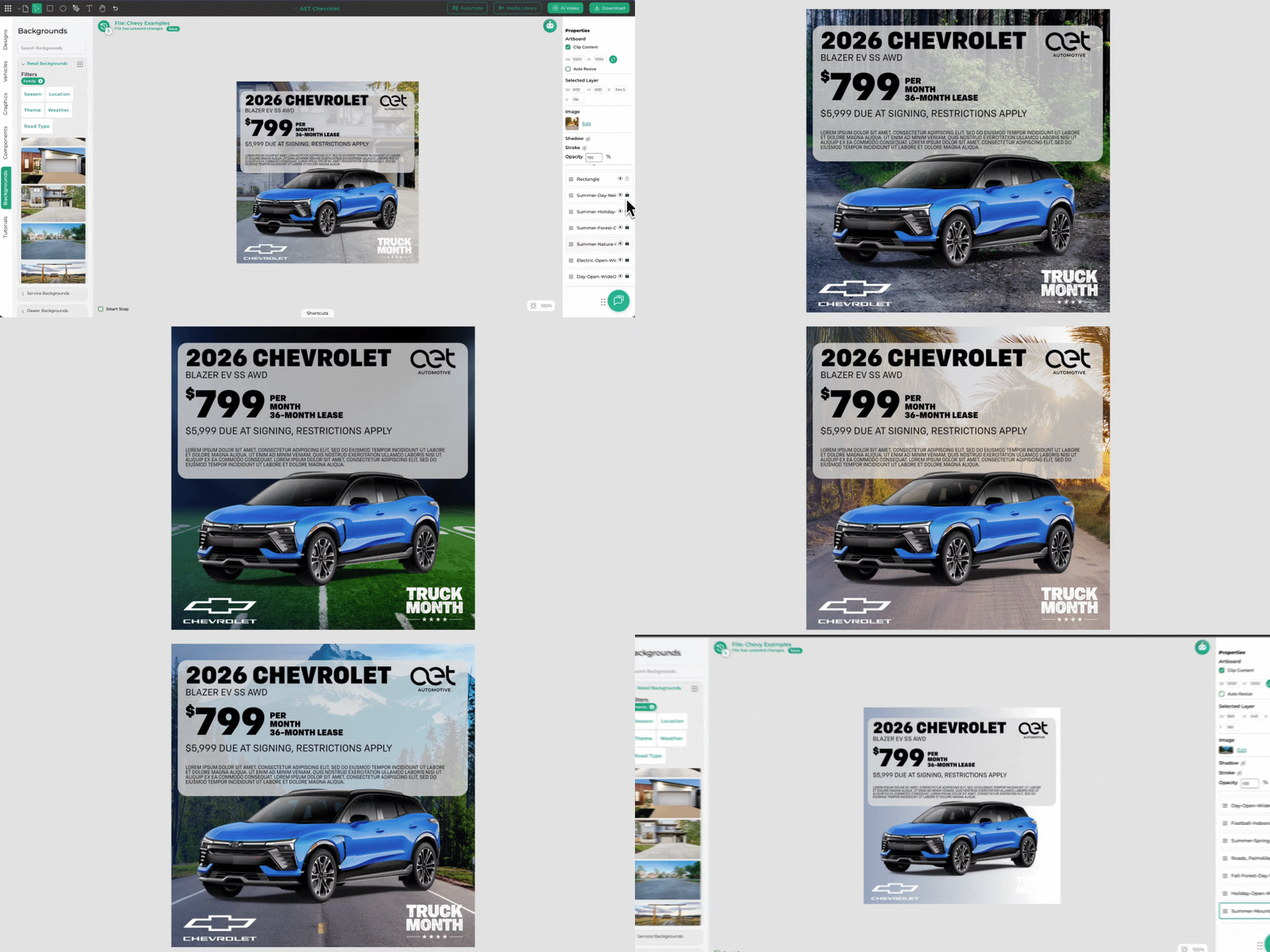
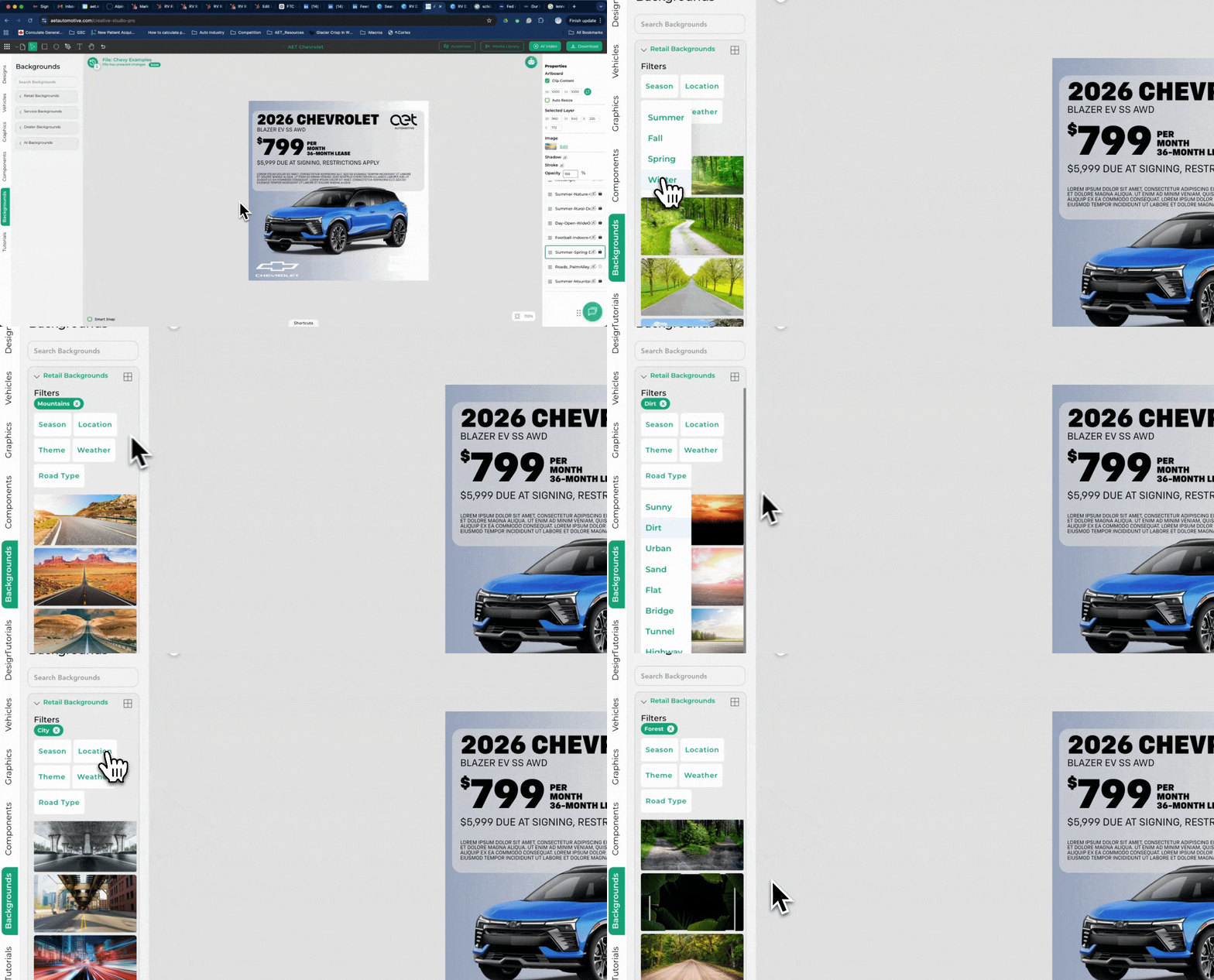
Massive Background Expansion The library has grown from roughly 700 to 1,087 high-quality backgrounds. You now have way more creative options to make your ads stand out.
-
Fresh Graphic Styles You Asked For We’ve added more modern, road-free contemporary backgrounds — exactly what many of you have been requesting for cleaner, more premium-looking creative.
-
-
Improved Filtering Finding the perfect background is now much faster. New seasonal and thematic filters make it easy to browse (think “Spring,” “Mountains,” “Urban,” etc.). Multi-select filtering is also in the works so you can combine categories like “Mountains + Spring.”
-
-
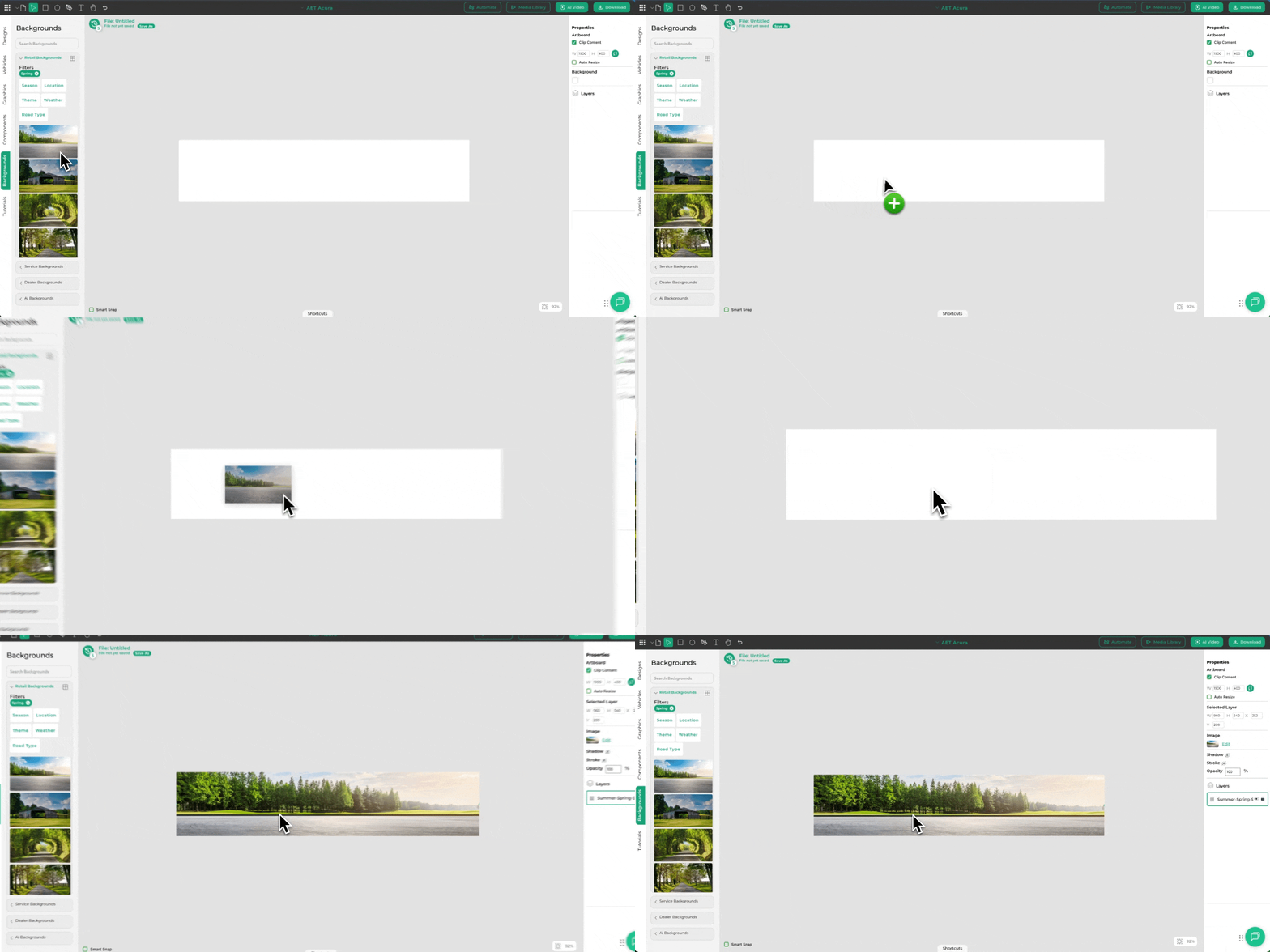
Auto-Fit Sizing The default background size has been upgraded from 1200×1200 to the more standard 1920×1080. Backgrounds now automatically fit the full canvas, so you spend less time resizing and more time creating.
-
Why This Matters for You
These changes reduce the frustration of hunting for the right background or fighting with sizing issues. Whether you’re building static ads, social posts, or video thumbnails, you’ll have richer creative options and a smoother workflow — all inside Creative Studio.
Try It Today
Log into Creative Studio and explore the expanded background library — you’ll immediately notice the difference.
As always, we build these updates based on your feedback. If you have ideas for even better background tools or want to share how this update is working for your team, just reply to this email or reach out to your account manager.
Stay tuned for more updates in the Update Lane — we’ve got a lot more coming to make your dealership marketing faster and more powerful.
AET Automotive – Adapt. Evolve. Transcend.
Date: April 20, 2026
Meta Audience Targeting Update: What’s Changing in Inventory Studio
Meta has rolled out updates to how audience targeting works with Advantage+ Audiences. If you create campaigns in Inventory Studio, you may notice some changes in the setup process.
What’s Changed
We’ve removed the Prospecting / Retargeting toggle in Inventory Studio.
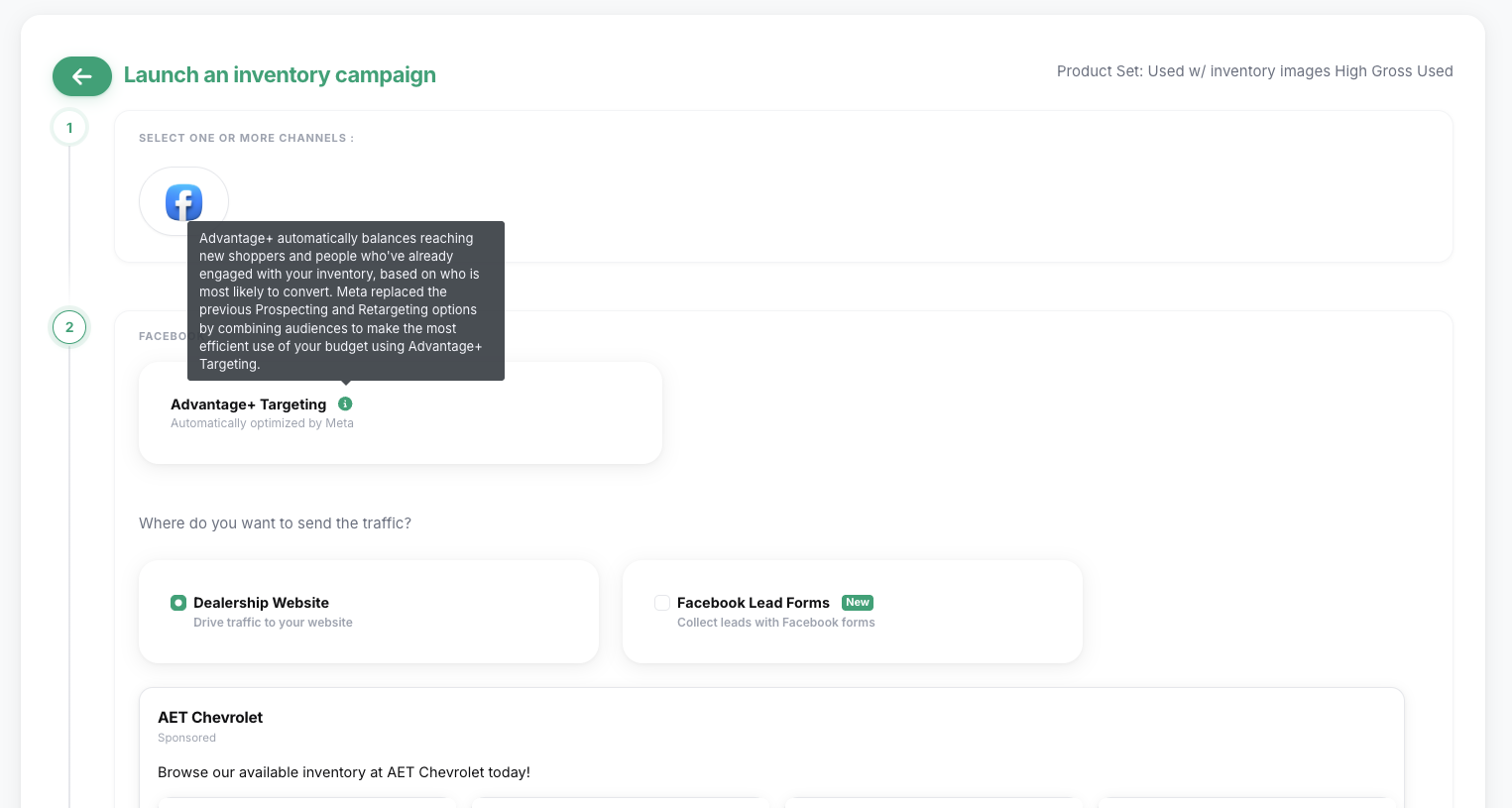
Starting now, all new campaigns will default to Advantage+ Audiences. Instead of manually choosing between prospecting (new shoppers) and retargeting (people who’ve already engaged with your inventory), Meta’s machine learning automatically optimizes delivery across both groups in a single campaign — focusing on the people most likely to convert.
This change comes directly from Meta and is designed to simplify setup while improving overall budget efficiency and campaign performance.
👉 Learn more from Meta’s official guidance here: Meta Advantage+ Audiences
What to Expect Right Now
-
All new campaigns in Inventory Studio will use Advantage+ Audiences by default.
-
Audience optimization is handled automatically by Meta — no need to manually split prospecting vs. retargeting.
-
The system balances delivery between new shoppers and past engagers based on who is most likely to drive results.
Already running retargeting campaigns? No action needed. Your existing campaigns will continue running unchanged until they reach their end date. This update only affects new campaigns.
What’s Coming Next
We understand some users still want more control for specific strategies. We’re actively building the ability to add custom audiences (including retargeting lists) on top of Advantage+ campaigns.
This feature is targeted for release in Inventory Studio by April 30.
Why Meta Is Making This Change
Meta is shifting toward greater automation. The old approach required you to manually define and separate audiences. The new Advantage+ approach lets you provide signals (such as your inventory feed and pixel data), and Meta’s AI handles finding and prioritizing the best audience — often leading to better results with less manual work.
Bottom Line: Your ads will still reach both new prospects and warm audiences. Meta is simply managing that balance automatically for better efficiency.
We’ll keep adding helpful controls as they make sense, while staying aligned with Meta’s evolving platform. As always, our team is here to support you.
If you have any questions about this update or how it affects your campaigns, feel free to reply to our support emails.
Date: March 13, 2026
Pen Tool, Gridline & Align Tools Now Live in Creative Studio Pro
We've just dropped a powerful new Pen tool into Creative Studio Pro, giving you pixel-perfect control to create custom shapes, highlights, arrows, underlines, or full custom graphics right inside the editor. No more hunting for the perfect element or jumping to external tools.
How to use it:
Hit P on your keyboard (or click the Pen icon in the toolbar) to activate.
Click to draw straight lines, or click-and-drag for smooth cubic Bézier curves to craft organic shapes.
Close a path to create filled custom shapes.
Customize with ease: change fill color, stroke color, thickness, and more from the properties panel.
Power-user tricks that save serious time:
Double-click a point to toggle between straight lines and Bézier curves—edit paths on the fly.
Already have a shape? Hold Shift and click an endpoint to continue drawing from it and extend or close complex designs seamlessly.
Whether you're adding a bold arrow to call out a killer incentive, underlining key pricing, creating custom disclaimers, or building entirely unique overlays for seasonal campaigns, this tool puts full creative freedom in your hands—fast.
Now pair it with even sharper control: the new Gridline & Align tool.
Press Cmd + A (Mac) or Ctrl + A (PC) to instantly snap multiple objects into perfect alignment—or use it to create your own custom grid lines for flawless, professional layouts every time. No more eyeballing spacing, no more uneven elements throwing off your design. Whether you're stacking pricing tiers, aligning callouts across a banner, or building consistent social templates, this shortcut delivers pixel-perfect results in one keystroke.
These updates put more speed and precision directly in your hands:
Draw exactly what you envision with the Pen.
Align everything perfectly with a single hotkey.
These small-but-mighty upgrades keep stacking up to make Creative Studio Pro the fastest way for dealers to own their creative pipeline.
More coming soon—stay tuned.
Date: February 23, 2026
New Lead Forms in AET: Capture Facebook Leads Directly, No Website Required
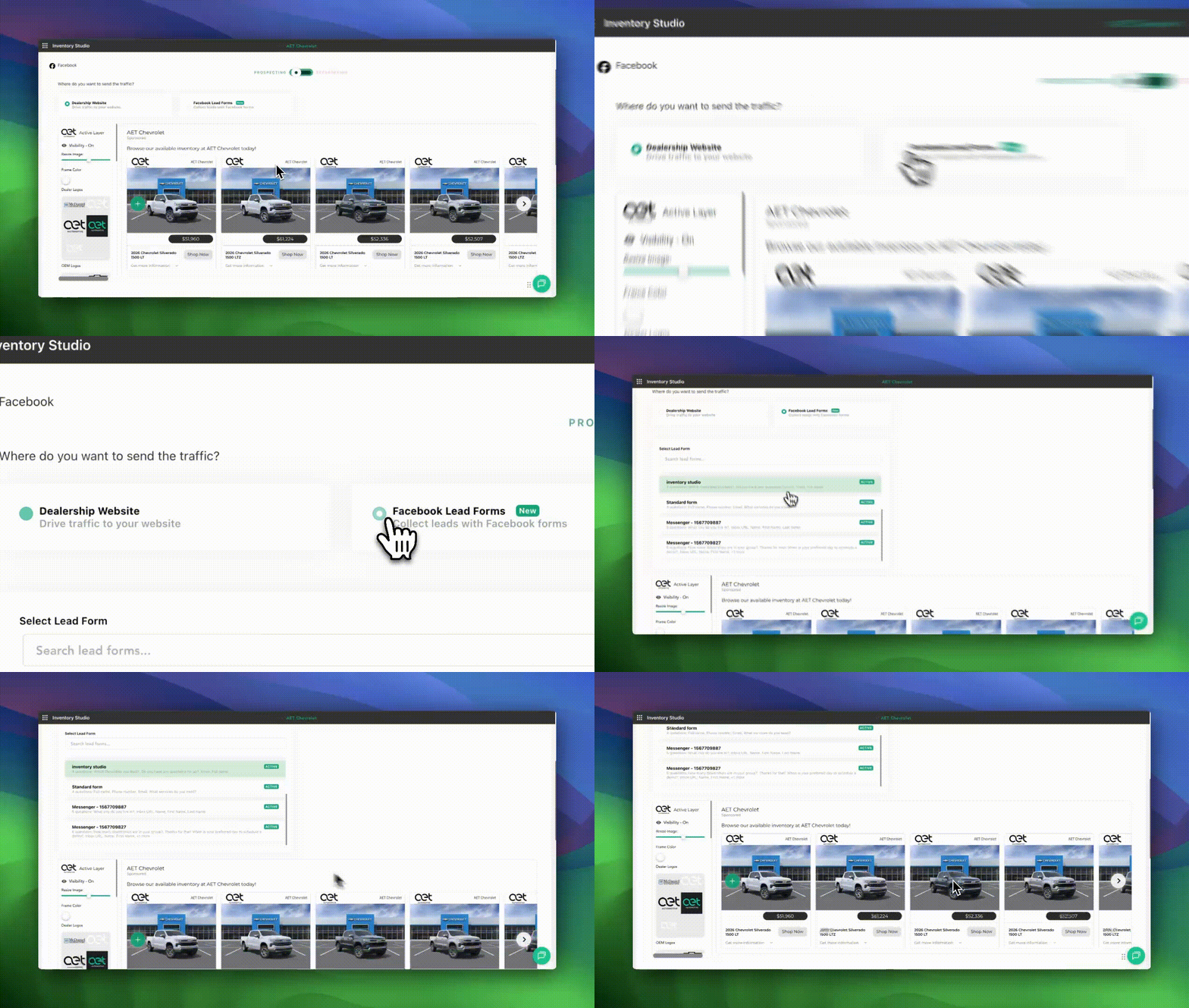
Dealers, we've just leveled up your ability to grab leads where buyers are already scrolling—right on Facebook and Instagram.
What's New: Native Lead Forms in Inventory Studio & Ad Studio
Your vehicle ads can now drive shoppers straight to Meta's native lead forms—no forcing them to your website, no lost traffic, no extra steps. Leads collect instantly on Facebook/Instagram and flow directly into your CRM. Zero manual uploads, zero delays.
Why This Changes the Game for You
Catch leads earlier: Shoppers click "Learn More" or another CTA mid-scroll—before they bounce.
Lower cost per lead: Skip website visits (which often cost more and convert less) for native Meta forms that perform better in 2026's ad landscape.
Seamless CRM delivery: Leads land in your system automatically—ready for follow-up while they're hot.
How It Works (Quick Breakdown)
Shopper sees your sharp vehicle ad on FB/IG from Creative Studio Pro.
They tap the CTA.
Short lead form pops up natively on Meta.
Submit → Lead hits your CRM instantly.
This feature is tied to PinPoint—our add-on that powers effortless matchback tracking, full-funnel attribution, and deeper insights into which ads drive real showroom traffic and sales. If you're already on PinPoint, flip the switch in your dashboard. Not yet? Adding it unlocks this (and more) to prove every dollar's ROI.
Early users are seeing faster lead flow and better CPL—exactly what you need when affordability pressures make every lead count double.
Ready to turn your ads into direct-lead machines?
Log in and check your PinPoint status.
Not subscribed? Upgrade via your account or hit us up for a quick demo.
Stay ahead—more enhancements dropping soon.
What do you think—how will native lead forms fit your March/April push?
Date: November 11, 2025
Fast Lane Update: Gradients Just Landed in Creative Studio Pro
%20(3).png?width=1200&height=628&name=Dealer%20User%20Examples%20(1200%20x%20628%20px)%20(3).png)
Sometimes the difference between “good” creative and “great” comes down to one thing — contrast.
If you’ve ever had text disappear into a background or an offer that didn’t quite pop, this one’s for you.
Gradients are now available in Brand Components inside Creative Studio Pro, giving you an easy way to balance text visibility, add depth, and elevate your designs without extra layers or edits.
Why Gradients Matter
.gif?width=1200&height=628&name=Dealer%20User%20Examples%20(1200%20x%20628%20px).gif) Busy Backgrounds
Busy Backgrounds
When an ad is packed with detail — snowy roads, fall foliage, or bright seasonal scenery — even shadows or glow effects can’t always make your offer text pop. A clean, subtle gradient helps key messages stand out, improving contrast without covering the scene or dulling the mood of your design.
Multi-Color Logo Groups%20(1).gif?width=1200&height=628&name=Dealer%20User%20Examples%20(1200%20x%20628%20px)%20(1).gif) If you’ve ever worked with a row of brand logos (looking at you, Stellantis), gradients help separate and ground them without adding harsh boxes or blocks, keeping things readable and balanced across colors.
If you’ve ever worked with a row of brand logos (looking at you, Stellantis), gradients help separate and ground them without adding harsh boxes or blocks, keeping things readable and balanced across colors.
Disclaimers That Stay Legible
Small text is always a challenge, especially over bright or complex imagery. A light or dark gradient layer behind the disclaimer keeps compliance copy clear — without sacrificing the bold impact of your main message.
Seasonal Creative with Snow or Low Light
As much of the country shifts into winter scenes — snow-covered roads, frosted windshields, and early sunsets — gradients help brighten or darken areas of your design so your text, pricing, and headlines still pop without losing the atmosphere.
Gradients aren’t just a design detail — they’re a simple way to make your creative cleaner, more readable, and more professional in seconds.
Where to Find ThemHead to your Components panel → Brand Components → Gradients folder
You’ll find ready-made gradient overlays matched to your OEM brand colors (with more being added this week).
How to Use Them
It’s simple:
-
Drag a gradient onto your canvas
-
Rotate or resize to match your design
-
Use the Layer Order panel to position it behind text, offers, or logos
-
Lock it when you’re happy with the placement
Want more contrast? Stack multiple gradients to create a subtle fade in the corners — it’s a great trick for text-heavy or dark-background designs.
Pro Tip
Keep gradients subtle. The goal is to enhance the design, not overpower it. A little contrast goes a long way.
Try It Out
Log in to Creative Studio Pro, open any saved design, and grab a gradient from the Brand Components folder.
You’ll see instantly how it helps your message stand out — especially behind copy, disclaimers, and seasonal offers.
Date: October 16, 2025
Managing creative across multiple stores just got easier.
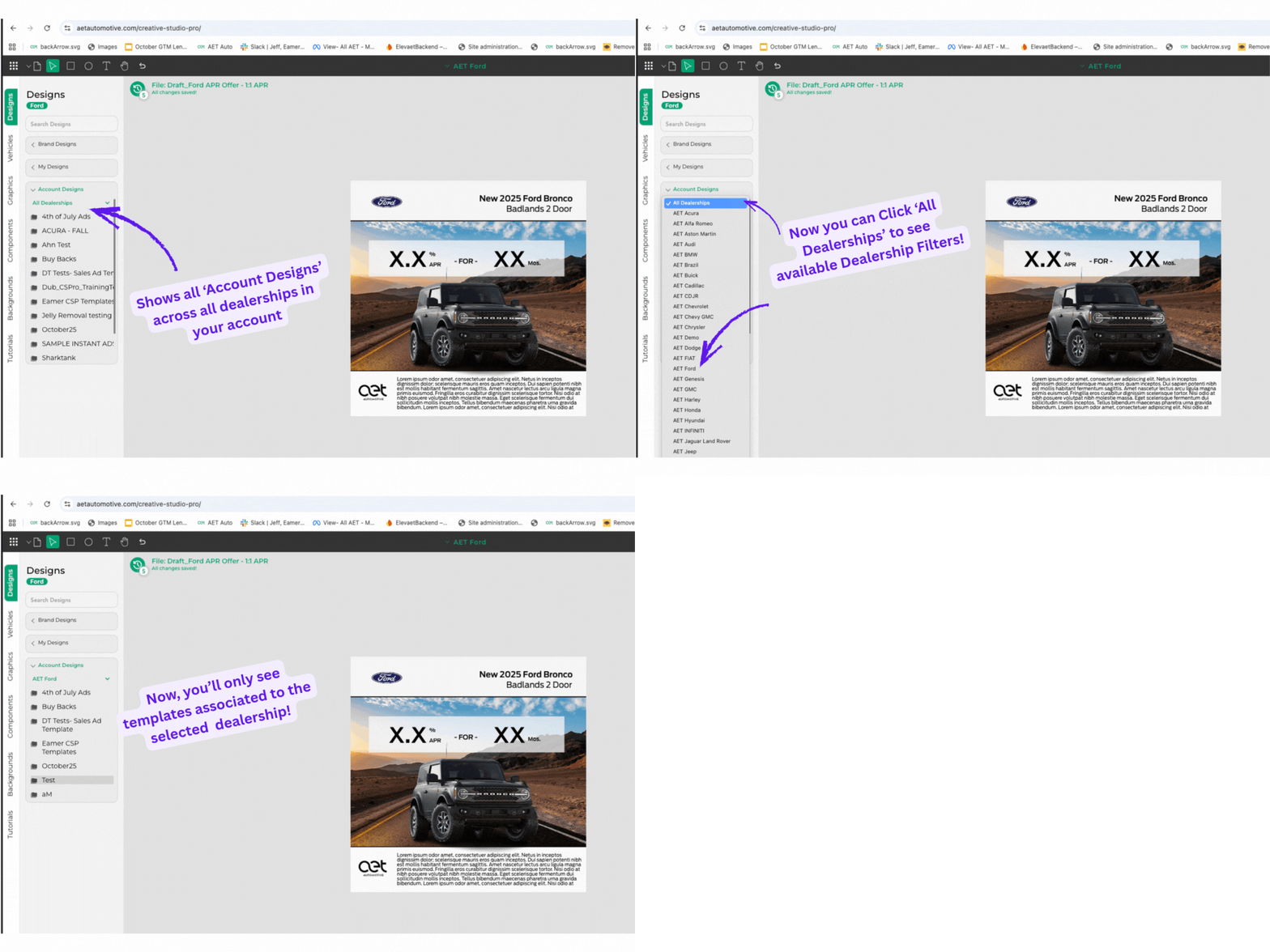
Managing creative across multiple stores just got easier.
Previously, your Account Designs folder showed every design saved by anyone on your account — great for collaboration, but a bit overwhelming if you’re managing multiple rooftops or brands.
Now, with our latest update, you can filter Account Designs by dealership.
That means you can quickly find the creative you need without digging through every design your group has ever made.
It’s a small but powerful improvement that keeps your workspace organized and your team focused — especially for dealer groups sharing a single account across multiple locations.
At AET Automotive, every update is designed to help you move faster, stay in control, and eliminate marketing delays.
Date: September 24, 2025
Creative Studio Pro: Now with Object Opacity Controls
Sometimes it’s the small details that make the biggest difference. Inside Creative Studio Pro, you can now adjust the opacity of any object in your creative.
That means more flexibility with overlays, background treatments, and emphasis — whether you want a subtle watermark or a bold pop of text on top of an image. It’s a simple addition, but one that gives designers (and non-designers) more creative control without needing third-party tools.
Page Builder: Drag-and-Drop Landing Pages
Dealership campaigns don’t stop at ads — they need a destination. With Page Builder, you can create responsive, drag-and-drop landing pages in minutes, without waiting on IT or vendors.
Whether you’re running sales campaigns, service promotions, or brand initiatives, Page Builder makes it simple to launch clean, compliant pages that match your ads and update instantly when offers change. Fast, flexible, and fully in your control.
Page Builder is live, built on the same drag-and-drop technology that powers Email Studio. That means:
-
Easy, flexible layouts
-
No coding required
-
Fully responsive across devices
-
Ready to deploy for sales events, service campaigns, or EV pushes
Dealerships can now create fast, clean campaign hubs or offer pages that match their ads — all in-house, no IT ticket needed.
What’s Coming Next: Faster, Smoother, Smarter
We know speed matters. That’s why our team is actively working on faster load times across Creative Studio Pro and the entire platform. Upcoming enhancements will make building, editing, and exporting creative smoother than ever — even when juggling multiple projects and formats.
This is just the start. More integrations, more automation, and more time-saving features are already in the pipeline.
Why It Matters
Every month brings new incentives, shifting offers, and mid-month changes that can throw campaigns off track. The dealerships winning in today’s market are the ones who can pivot quickly, stay compliant, and keep creative flowing without bottlenecks.
At AET Automotive, our focus is to give you tools that make that possible:
-
Creative Studio Pro for fast, flexible ads
-
Inventory Studio for dynamic vehicle campaigns
-
Email Studio for mobile-first communication
-
Page Builder for campaign hubs
-
Streaming Studio for CTV and digital radio reach
One suite. One workflow. No waiting on vendors.
Want some training on these new product updates